See your previous sets
Use the last recorded load and reps as a reference. Keep exercise variations consistent so the comparison means something.
Gym workout tracker
Harda is a workout tracking app for iPhone, built for strength training in the gym. Log weights, sets and reps with your previous performance beside today's entries.
Download on theApp Store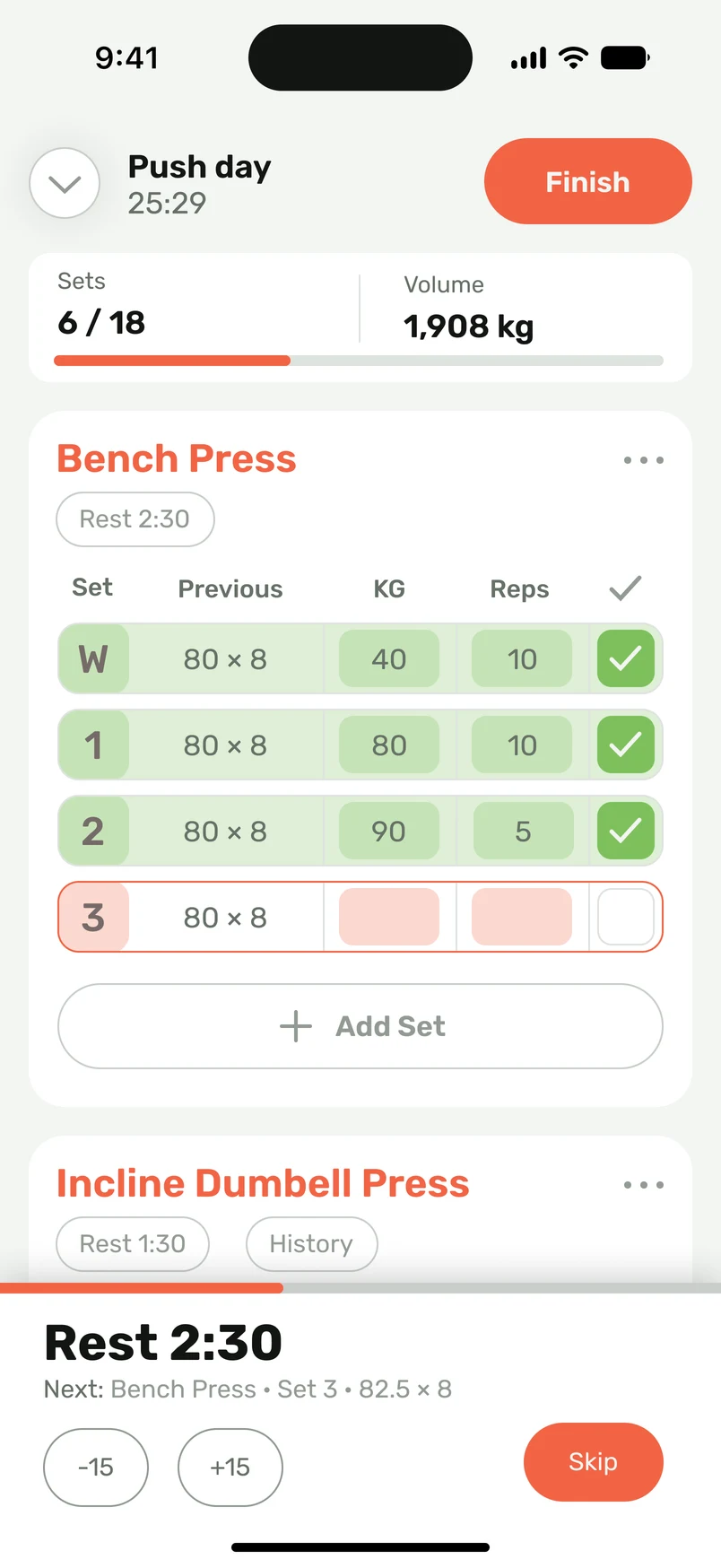
Start from your own routine, complete the set, and get back to lifting. The log keeps the context you need for your next decision.
Use the last recorded load and reps as a reference. Keep exercise variations consistent so the comparison means something.
Enter your weight and reps, mark the set complete, and let the rest timer run. Record a note when setup or effort changes.
Choose your exercises, their order, and your set targets. Mark warm-up sets and supersets rather than forcing every workout into one template.
Look back at completed sessions, personal records, and exercise trends. A useful log shows changes across weeks, as well as today's numbers.
Track a complete workout on Apple Watch without having your iPhone nearby. Keep your workout log on your wrist while you train.
Start an existing routine or build one with the exercises and set targets you use.
Log the load and reps beside the previous result. Finish the set to start the rest timer.
Check your exercise history and progress. Use the last session to choose a realistic next target.
Record the actual result of each working set. Consistent units and a short note make the next workout easier to interpret.
| Exercise | Load | Reps | Note |
|---|---|---|---|
| Bench press | 60 kg | 8, 7, 6 | Same setup as last session |
| Lat pulldown | 40 kg | 10, 10, 9 | Same machine and handle |
| Push-up | Bodyweight | 12, 10, 9 | Controlled full reps |
Illustrative entries, not prescribed loads. For dumbbells, consistently record either one dumbbell's weight or the combined weight, and note the convention.
Good to know
Start with the exercise variation, load, sets, and reps. Add effort or setup notes when they help explain the result. Keep warm-up sets separate from working sets.
Yes. Build your routine, adjust a starting plan, or bring an existing plan into Harda. You control the exercises and set targets.
Record completed reps and sets. If you add weight or use assistance, note it consistently so you can compare like-for-like sessions.
Yes. Harda is built for iPhone, with workout logging, routines, rest timers, training history, and progress charts.
Yes. Harda supports recording a complete workout on Apple Watch without your iPhone nearby.
A planner records what you intend to do: exercises, training days, sets and rep targets. A tracker records what you actually completed. Harda connects both, so your saved routine becomes the session you log and compare later.
Harda supports importing Hevy and Strong CSV history and plans without reformatting. Keep your original export and review dates, units, exercise variations and set counts after import. Compatibility with other apps' CSV formats is not assumed.